UX Design Case Study
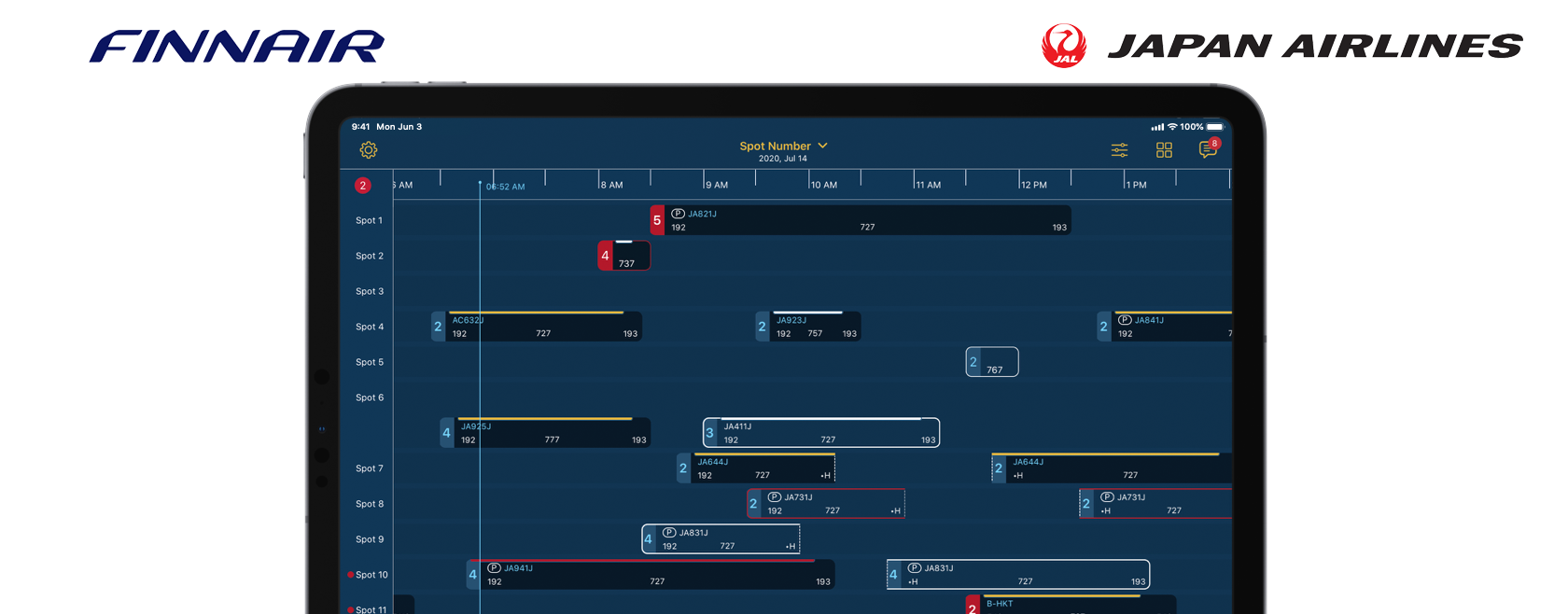
To avoid delays, aircraft mechanic supervisors must juggle flight schedules and competing priorities, while assigning the right certified engineer to each job. But to assess their current shift, they have to check multiple, unconnected systems on a desktop in the office, which can cause work duplication and errors. But now, supervisors can view an intuitive, streamlined dashboard of all flight schedules, and the status of ongoing maintenance, with Assign Tech on iPad.
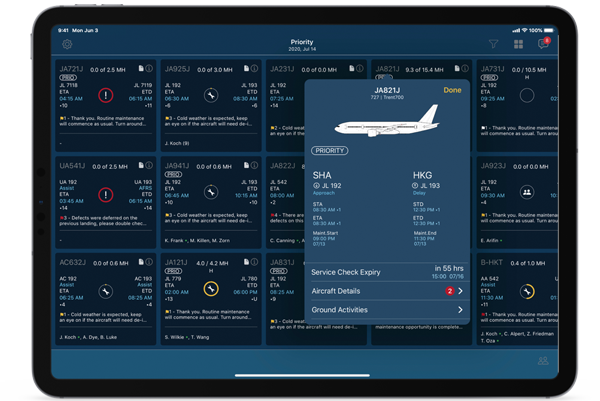
The app also recommends the best engineer for each job, based on their qualifications, and provides push notifications on any flight delays, so they're more equipped to proactively manage current maintenance activities — optimizing costs and minimizing delays.
Improved shift planning for aircraft mechanic supervisors with an intuitive streamlined dashboard view of flight schedules, current ship status, engineer certification and availability.

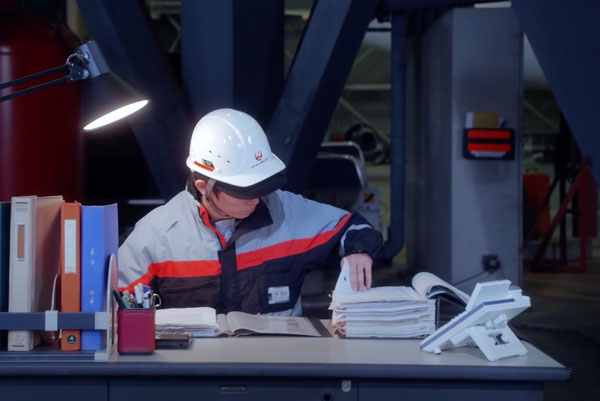
Multiple large TV screens side-by-side in a single location, mountains of files folders, a lack of consistent employee-to-employee communication devices in an ever-changing environment, and an urgent need for real-time data. These are just a few of the obstacles that faced supervisors and mechanics at Haneda International Airport in Tokyo, Japan.
Japan Airlines (later joined by Finnair) required a way that allowed supervisors to view key details about upcoming inbound and outbound flights, review & add flight notes, assign engineers, and review work orders & reports.
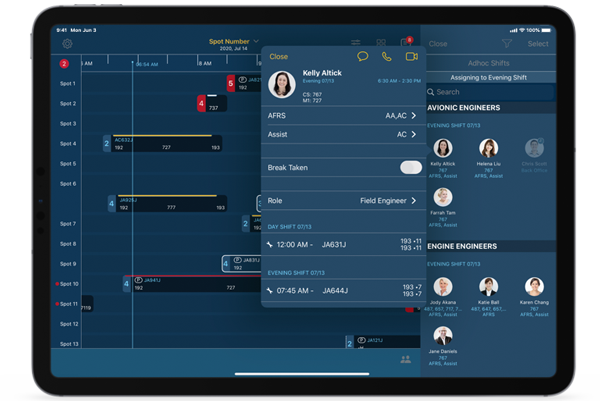
Among the many features within Assign Tech, supervisors can quickly assess engineer qualifications and other information such as their schedule for the day. In addition, supervisors can quickly contact engineers for important issues via iMessage, FaceTime or FaceTime Audio.